Planning
Free Wedding Timeline Template: Print, Customize & Go
By The Everplanner Team6 min read
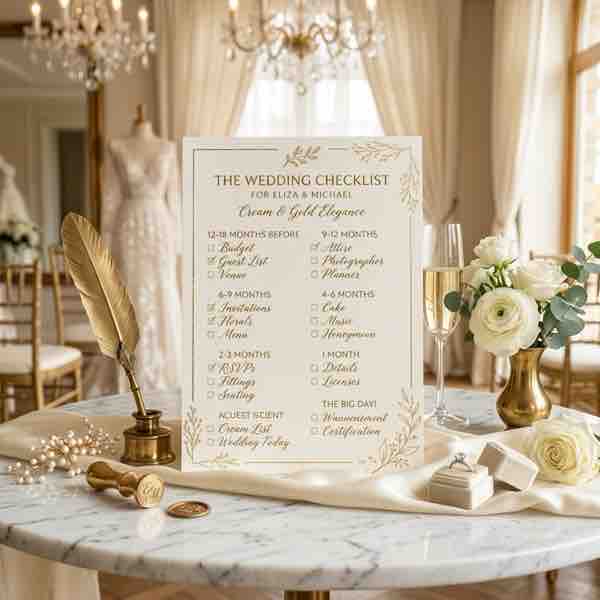
A wedding timeline template takes the overwhelm out of planning. Instead of wondering what should I be doing right now?, you can see at a glance where you are, what's coming up, and what's already ticked off.
Why you need a timeline (not just a to-do list)
To-do lists are flat — everything feels equally urgent. A timeline adds time to the equation, spreading tasks across months so no single week is overloaded.
- You see the full picture, not just the next task.
- Big-ticket items (venue, photographer) land early when they should.
- Last-minute details (seating, tips) land late, when you actually have the info.
- You can delegate clearly — "this is your column for August."
The timeline at a glance
- 12+ months: Budget, guest list draft, venue, save-the-dates.
- 9–11 months: Photographer, caterer, wedding party, attire shopping.
- 6–8 months: Florist, officiant, registry, honeymoon research.
- 3–5 months: Invitations, menu tasting, rings, vows draft.
- 1–2 months: Final fittings, seating chart, vendor confirmations.
- 1 week & day-of: Final headcount, tips, marriage license, enjoy.
How to customize it
- Move tasks earlier if you're in a high-demand market (popular cities, peak season).
- Skip categories that don't apply (no videographer? delete the line).
- Add personal milestones — engagement party, bachelor/ette weekend, rehearsal dinner.
The best timeline is the one you actually open every week.
Want a digital version that ticks itself off? The free Everplanner checklist is a living timeline — no download, no sign-up, saved on your device.
Put it into practice — free
No sign-up, no cost. Your plan saves privately on your device.
Open the free checklist